In the previous part, we explored Pydantic and learned how it helps define structured data models and validate incoming values.
But there is an important question:
How does that data actually get into our FastAPI application?
When a client wants to create a new resource, it needs a way to send data to the server.
This is where the request body comes in.
A request body contains data sent from the client to the server. It is commonly used with HTTP methods such as POST and PUT to send structured data such as JSON.
In this part, we’ll understand what a request body is and see how FastAPI can use a Pydantic model to receive and validate that data.
We’ll continue building our Patient Management System and use a POST endpoint to create a new patient.
Overview
- Project Progress
- What is a Request Body?
- POST Requests
- Request Body and JSON
- Pydantic Models as Request Bodies
- Creating a Patient with POST
- Request Body Validation
- Saving the New Patient
- Returning a 201 Created Response
- Understanding the Complete Request Flow
- Complete Code Example
- Key Takeaways
- Conclusion
- What’s Next?
Project Progress
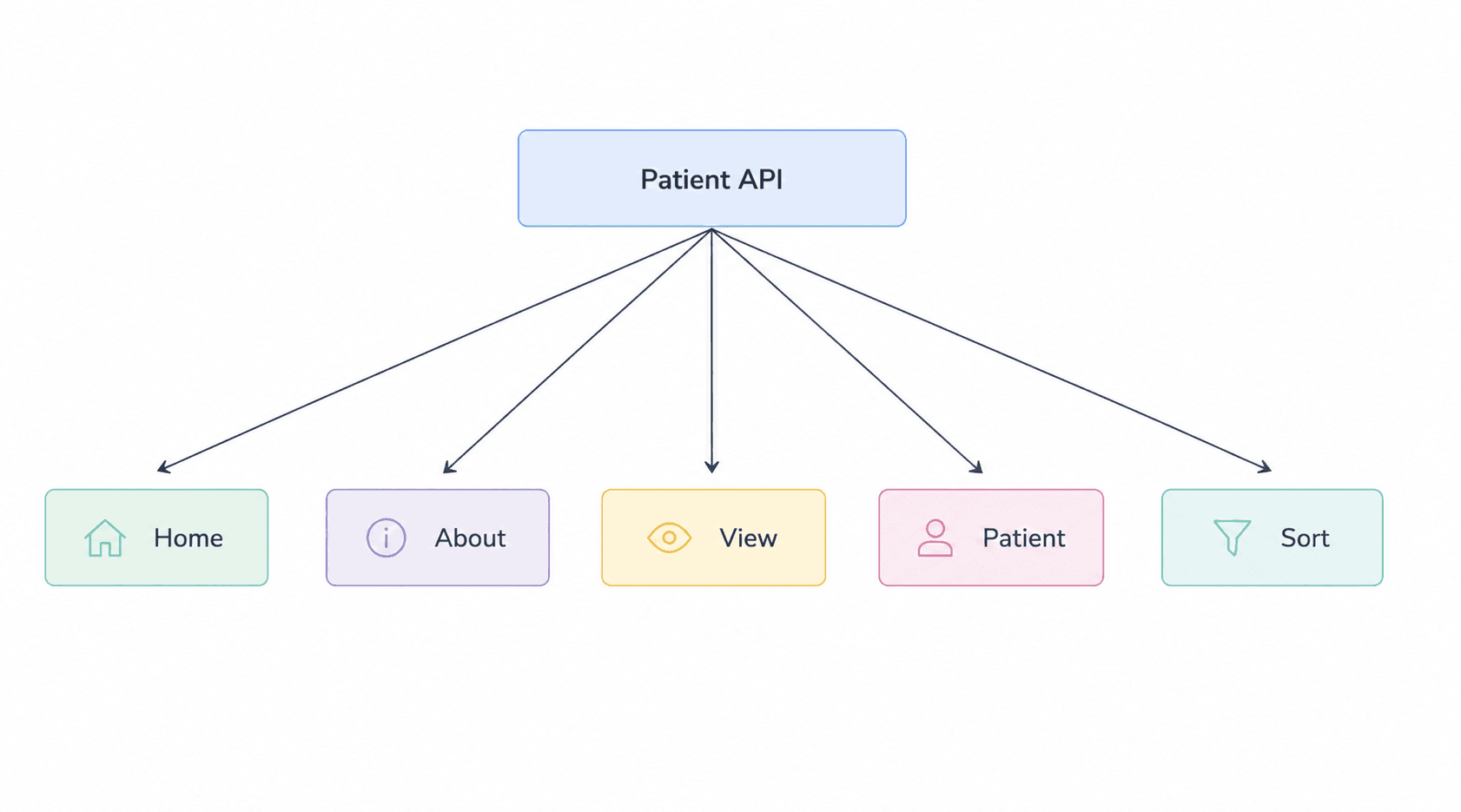
So far, we have built several endpoints for our Patient Management System, including endpoints for the home page, patient information, viewing patient records, and sorting patients.
In this part, we’ll extend the API further by adding a POST endpoint that allows clients to send patient data through a request body and create a new patient record.
What is a Request Body?
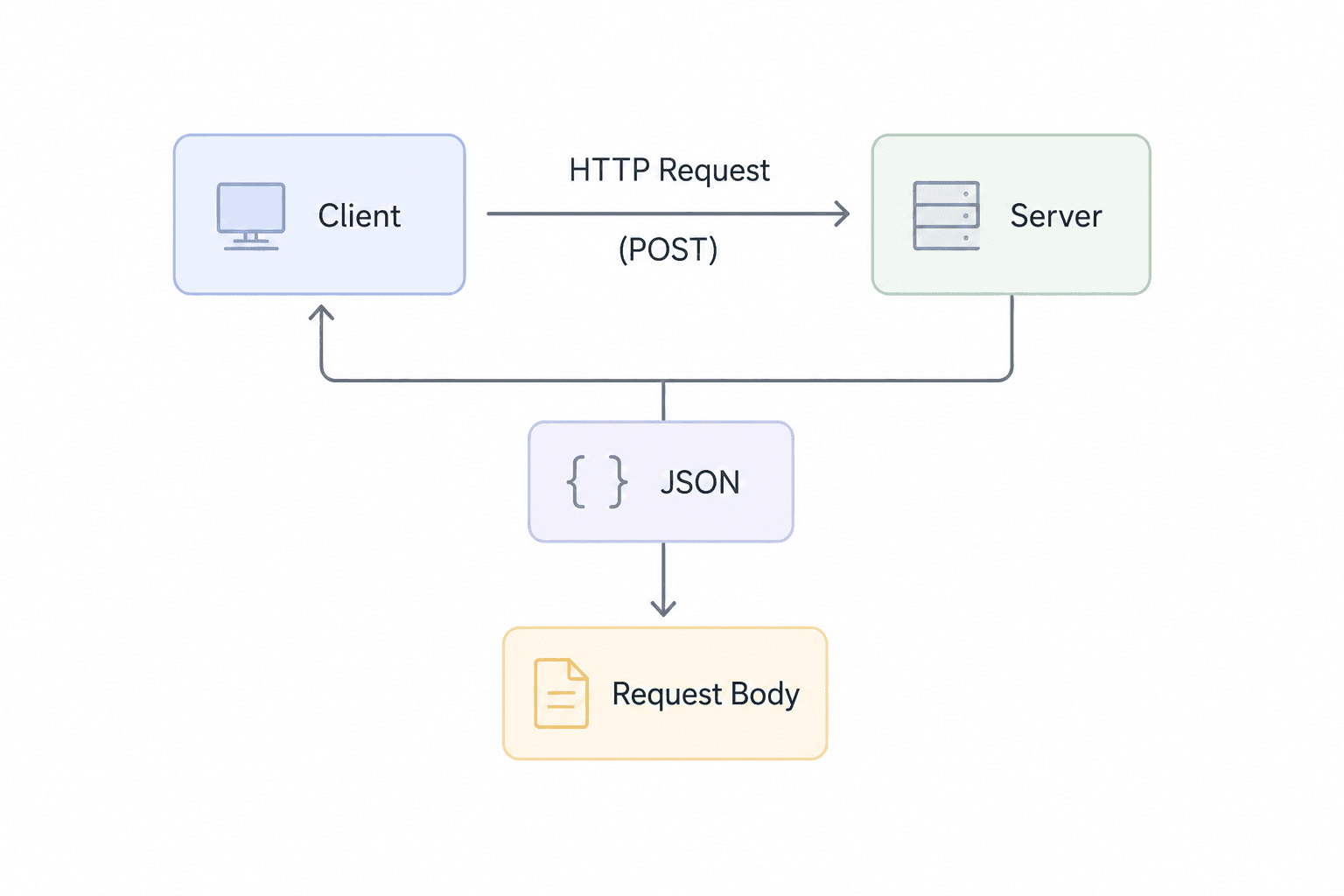
A request body is the portion of an HTTP request that contains data sent from the client to the server.
When an application needs to send structured data to an API — for example, when creating or updating a patient — the data can be included in the request body.
Request bodies are commonly used with HTTP methods such as POST and PUT to send data in formats such as JSON, XML, or form-data. The server then reads and processes this data to perform the requested operation.
For example, when creating a new patient, the client can send information such as:
{
  "id": "P007",
  "name": "Aarav Sharma",
  "city": "Jaipur",
  "age": 28,
  "gender": "male",
  "height": 1.75,
  "weight": 70
}
Here, the JSON object represents the request body sent to the server.
In our Patient Management System, this request body will later be received by a FastAPI POST endpoint and validated using the Patient Pydantic model.
The basic flow is:
Client → HTTP POST Request → Request Body → Server
The request body allows the client to send the actual data that the server needs to process.
POST Requests
The POST method is an HTTP method used to send data from the client to the server.
While a GET request is generally used to retrieve data, a POST request is commonly used when we want the server to create a new resource.
For example, in our Patient Management System, a client can send the details of a new patient to the FastAPI server using a POST request.
The patient information is sent inside the request body, typically as JSON:
{
  "id": "P007",
  "name": "Aarav Sharma",
  "city": "Jaipur",
  "age": 28,
  "gender": "male",
  "height": 1.75,
  "weight": 70
}
The server receives this data, validates it, and can then use it to create the new patient record.
In our FastAPI application, this is handled by the /create endpoint:
@app.post("/create")
def create_patient(patient: Patient):
    ...
Here, @app.post("/create") tells FastAPI that this function should handle POST requests sent to the /create endpoint. The patient: Patient parameter tells FastAPI to read the request body and validate it using the Patient Pydantic model.
This gives us the basic flow:
Client → POST Request → Request Body → Pydantic Validation → FastAPI Endpoint → Create Resource
The next step is to understand how JSON data in the request body is connected to a Pydantic model.
Request Body and JSON
A request body is the data sent from the client to the server as part of an HTTP request.
For APIs, this data is often represented using JSON (JavaScript Object Notation) because JSON provides a simple and structured way to represent information.
For example, when creating a new patient, the client can send the following JSON data in the request body:
{
  "id": "P007",
  "name": "Aarav Sharma",
  "city": "Jaipur",
  "age": 28,
  "gender": "male",
  "height": 1.75,
  "weight": 70
}
The server receives this JSON data and can then validate and process it.
In our FastAPI application, the Patient Pydantic model defines the structure expected from the request body. It specifies fields such as id, name, city, age, gender, height, and weight.
This means the request flow looks like:
Client → JSON Request Body → FastAPI → Pydantic Validation → Endpoint
FastAPI uses the Pydantic model to ensure that the incoming data follows the expected structure before the endpoint processes it.
For example, when the client sends patient data to the /create endpoint, FastAPI receives it through the patient: Patient parameter.
The request body carries the data, JSON provides the structure, and Pydantic validates that data before FastAPI processes it.
Pydantic Models as Request Bodies
FastAPI can use a Pydantic model to define the structure of data expected in a request body.
Instead of manually reading and validating every value sent by the client, we can declare a Pydantic model and use it as a parameter in our endpoint.
For our Patient Management System, the Patient model defines the fields that a new patient must provide, including id, name, city, age, gender, height, and weight. It also includes validation rules such as requiring a positive age, height, and weight.
We can then use this model directly in a POST endpoint:
@app.post("/create")
def create_patient(patient: Patient):
    ...
Here, patient: Patient tells FastAPI that the incoming request body should be parsed and validated using the Patient Pydantic model.
For example, the client can send:
{
  "id": "P007",
  "name": "Aarav Sharma",
  "city": "Jaipur",
  "age": 28,
  "gender": "male",
  "height": 1.75,
  "weight": 70
}
FastAPI receives this JSON request body and creates a Patient model from it. During this process, Pydantic checks whether the provided data follows the rules defined in the model.
This gives us a simple flow:
JSON Request Body → FastAPI → Pydantic Model → Validation → Endpoint
The important advantage is that the request body structure and validation rules are defined in one place — the Pydantic model. This makes the API easier to maintain and reduces the need for manual validation.
Creating a Patient with POST
Now that we understand how Pydantic models can be used as request bodies, we can use them to build an endpoint that creates a new patient.
In our Patient Management System, the /create endpoint accepts patient information through a POST request.
The endpoint is defined as:
@app.post("/create")
def create_patient(patient: Patient):
    ...
Here, @app.post("/create") tells FastAPI to handle POST requests sent to the /create URL. The patient: Patient parameter tells FastAPI to expect the request body to follow the structure defined by the Patient Pydantic model.
A client can send patient information as JSON:
{
  "id": "P007",
  "name": "Aarav Sharma",
  "city": "Jaipur",
  "age": 28,
  "gender": "male",
  "height": 1.75,
  "weight": 70
}
FastAPI receives this request body and uses the Patient model to validate the data. The model defines the required fields and validation rules for values such as age, height, and weight.
Once the request is successfully validated, the endpoint checks whether the patient ID already exists:
if patient.id in data:
    raise HTTPException(status_code=400, detail='Patient already exists')
If the ID does not already exist, the new patient is added to the existing data:
data[patient.id] = patient.model_dump(exclude=['id'])Finally, the updated data is saved back to patients.json.
So the overall process is:
POST Request → Request Body → Pydantic Validation → Check Patient ID → Add Patient → Save Data
This is the basic pattern we can use whenever an API needs to accept structured data and create a new resource.
Request Body Validation
When a client sends data through a request body, the server needs to make sure that the data follows the expected structure and contains valid values.
In our FastAPI application, this validation is handled by Pydantic. The Patient model defines the required fields and validation rules for the incoming patient data.
For example, the model specifies that:
agemust be greater than 0 and less than 120.heightmust be greater than 0.weightmust be greater than 0.gendermust be one of male, female, or others.
When the request reaches this endpoint:
@app.post("/create")
def create_patient(patient: Patient):
    ...
FastAPI uses the Patient model to validate the request body before the endpoint function processes the data.
For example, a valid request body could be:
{
  "id": "P007",
  "name": "Aarav Sharma",
  "city": "Jaipur",
  "age": 28,
  "gender": "male",
  "height": 1.75,
  "weight": 70
}
If the client sends an invalid value, such as a negative age:
{
  "id": "P007",
  "name": "Aarav Sharma",
  "city": "Jaipur",
  "age": -5,
  "gender": "male",
  "height": 1.75,
  "weight": 70
}
the request fails validation because the age field has a gt=0 constraint.
This validation happens before the patient is added to the data. Only successfully validated data reaches the logic that checks whether the patient already exists and saves the new record.
The overall flow is:
Request Body → Pydantic Validation → Endpoint Logic → Save Data
This is one of the key advantages of combining FastAPI and Pydantic: validation rules can be defined directly in the data model instead of being manually checked throughout the endpoint.
Saving the New Patient
After the request body has been successfully validated, the next step is to add the new patient to the existing data.
Our application stores patient records in a patients.json file. The existing data is first loaded using the load_data() function.
Inside the create_patient() function, the existing patient data is loaded:
data = load_data()Before adding the new patient, the API checks whether the provided patient ID already exists:
if patient.id in data:
    raise HTTPException(status_code=400, detail='Patient already exists')
If the ID already exists, the API stops the operation and returns a 400 Bad Request response.
If the patient does not already exist, the validated patient data is added to the dictionary:
data[patient.id] = patient.model_dump(exclude=['id'])Here, model_dump() converts the Pydantic model into a Python dictionary. The id field is excluded because it is already being used as the dictionary key.
The updated dictionary is then saved back to patients.json:
save_data(data)The save_data() function opens the JSON file in write mode and stores the updated data using json.dump().
The complete flow is therefore:
Validate Request → Check Patient ID → Add Patient → Save to patients.json
This allows our POST /create endpoint to take a validated request body and persist the new patient record in the application's JSON-based data store.
Returning a 201 Created Response
After the new patient has been successfully validated, added to the existing data, and saved to patients.json, the API needs to tell the client that the resource was created successfully.
For this, our FastAPI application returns the HTTP 201 Created status code.
The /create endpoint uses JSONResponse to explicitly set the status code:
return JSONResponse(
    status_code=201,
    content={'message': 'patient created successfully'}
)
In the complete implementation, this response is returned after the updated patient data has been saved.
The client receives a response similar to:
{
  "message": "patient created successfully"
}
with the HTTP status:
201 Created
Why 201 Created?
The 201 Created status code indicates that the server successfully processed the request and created a new resource.
In our Patient Management System, this means the new patient has been added to the application’s data and the updated data has been saved to patients.json.
So the complete process is:
POST Request → Validate Request Body → Check Patient ID → Add Patient → Save Data → Return 201 Created
This completes the basic lifecycle of creating a resource through a FastAPI POST request.
Understanding the Complete Request Flow
Now let’s put everything together and understand what happens when a client sends a POST request to create a new patient.
The complete request flow in our FastAPI application can be broken down into the following steps:
1. Client Sends a POST Request
The client sends a POST request to the /create endpoint with patient information in the request body.
2. FastAPI Receives the Request Body
FastAPI receives the JSON data and maps it to the patient parameter defined in the endpoint:
@app.post("/create")
def create_patient(patient: Patient):
    ...
The Patient model tells FastAPI what structure the incoming request body should follow.
3. Pydantic Validates the Data
FastAPI uses the Patient Pydantic model to validate the incoming values. Fields such as age, height, and weight have validation constraints, while gender is restricted to specific values.
4. Check Whether the Patient Already Exists
After validation, the existing patient data is loaded and the API checks whether the submitted patient ID already exists.
if patient.id in data:
    raise HTTPException(status_code=400, detail='Patient already exists')
If the ID already exists, the API returns a 400 error instead of creating a duplicate record.
5. Add the New Patient
If the patient ID is not already present, the validated Pydantic model is converted into a dictionary and added to the existing data.
data[patient.id] = patient.model_dump(exclude=['id'])6. Save the Updated Data
The updated patient data is written back to patients.json using the save_data() function.
7. Return a Success Response
Finally, the API returns a 201 Created response with a success message:
return JSONResponse(
    status_code=201,
    content={'message': 'patient created successfully'}
)
Complete Flow
Client
   ↓
POST /create
   ↓
JSON Request Body
   ↓
FastAPI
   ↓
Pydantic Validation
   ↓
Check Patient ID
   ↓
Add Patient
   ↓
Save to patients.json
   ↓
201 Created
This flow shows how FastAPI, Pydantic, HTTP methods, request bodies, validation, and data persistence work together to create a resource.
It also demonstrates an important FastAPI pattern: the request body is declared through a Pydantic model, validated automatically, and then used directly inside the endpoint logic.
Complete Code Example
import json
from fastapi import FastAPI, Path, HTTPException, Query
from fastapi.responses import JSONResponse
from pydantic import BaseModel, Field, computed_field
from typing import Annotated, Literal, Optional

app = FastAPI()

class Patient(BaseModel):

    id: Annotated[str, Field(..., description='ID of the patient', examples=['P001'])]
    name: Annotated[str, Field(..., description='Name of the patient')]
    city: Annotated[str, Field(..., description='City where the patient is living')]
    age: Annotated[int, Field(..., gt=0, lt=120, description='Age of the patient')]
    gender: Annotated[Literal['male', 'female', 'others'], Field(..., description='Gender of the patient')]
    height: Annotated[float, Field(..., gt=0, description='Height of the patient in mtrs')]
    weight: Annotated[float, Field(..., gt=0, description='Weight of the patient in kgs')]

    @computed_field
    @property
    def bmi(self) -> float:
        bmi = round(self.weight/(self.height**2),2)
        return bmi

    @computed_field
    @property
    def verdict(self) -> str:

        if self.bmi < 18.5:
            return 'Underweight'
        elif self.bmi < 25:
            return 'Normal'
        elif self.bmi < 30:
            return 'Normal'
        else:
            return 'Obese'

def load_data():
    with open('patients.json', 'r') as f:
        data = json.load(f)

    return data

def save_data(data):
    with open('patients.json', 'w') as f:
        json.dump(data, f)

@app.get("/")
def project():
    return {"message": "Patient Management System"}

@app.get("/about")
def about():
    return {"message": "A fully functional patient management system"}

@app.get("/view")
def view():
    data = load_data()
    return data

@app.get("/patient/{patient_id}")
def view_patient(patient_id: str = Path(..., description="The ID of the patient in the DB", example="P001")):
    # load all the patients
    data = load_data()

    if patient_id in data:
        return data[patient_id]
    # else:
    #     return {"error": "Patient not found"}
    raise HTTPException(status_code=404, detail="Patient not found")

@app.get("/sort")
def sort_patients(sort_by: str = Query(..., description="Sort on the basis of height, weight or bmi"), order: str = Query('asc', description="Sort in ascending or descending order")):
   valid_fields = ['height', 'weight', 'bmi']

   if sort_by not in valid_fields:
      raise HTTPException(status_code=400, detail=f"Invalid field select from {valid_fields}")

   if order not in ['asc', 'desc']:
      raise HTTPException(status_code=400, detail="Invalid order select between asc and desc")

   # load all the patients
   data = load_data()

   sort_order = True if order == 'desc' else False

   sorted_data = sorted(data.values(), key=lambda x: x.get(sort_by, 0), reverse=sort_order)

   return sorted_data

@app.post("/create")
def create_patient(patient: Patient):

    # load existing data
    data = load_data()

    # check if the patient already exists
    if patient.id in data:
        raise HTTPException(status_code=400, detail='Patient already exists')

    # new patient add to the database
    data[patient.id] = patient.model_dump(exclude=['id'])

    # save into the json file
    save_data(data)

    return JSONResponse(status_code=201, content={'message':'patient created successfully'})
Output
{
  "message": "patient created successfully"
}
Status Code: 201 Created
Code Execution Explanation
Briefly walk through the complete execution:
- The client sends a
POST /createrequest. - FastAPI receives the JSON request body.
- The
PatientPydantic model validates the incoming data. - Existing patient data is loaded from
patients.json. - The API checks whether the patient ID already exists.
- The validated patient is converted to a dictionary with
model_dump(). - The updated data is saved to
patients.json. - FastAPI returns a
201 Createdresponse.
Key Takeaways
Following concepts form the foundation for building APIs that can receive, validate, process, and store structured data.
| Concept | Summary |
|---|---|
| Request Body | A request body contains data sent from the client to the server, commonly with methods such as POST and PUT. |
| POST Requests | The POST method is commonly used to send data to an API when creating a new resource. |
| JSON Data | JSON provides a structured format for sending data in the request body. |
| Pydantic Models | FastAPI can use Pydantic models to define the expected structure of request bodies. |
| Automatic Validation | FastAPI validates the incoming request body against the Pydantic model before the endpoint processes it. |
| Data Persistence | After validation, the new patient can be added to the existing data and saved to patients.json. |
| HTTP 201 Created | A successful resource-creation request can return 201 Created to indicate that the new resource was created successfully. |
| Complete Request Flow | The overall process is POST Request → Request Body → Pydantic Validation → Business Logic → Save Data → Response. |
Conclusion
A request body provides a structured way for clients to send data to a FastAPI application. When combined with a POST request, it allows an API to receive the information required to create a new resource.
In our Patient Management System, FastAPI uses a Pydantic model to define and validate the structure of the incoming patient data. Once the data passes validation, the application checks for an existing patient, adds the new record, saves the updated data, and returns a 201 Created response.
The complete process can be summarized as:
Client → POST Request → Request Body → Pydantic Validation → Business Logic → Data Storage → 201 Created
This pattern is fundamental to building APIs that can receive and process structured data from clients.
With request bodies and POST requests understood, we now have the foundation for building more practical APIs that accept user-provided data and perform operations on it.
What’s Next?
Now that we understand how POST requests, request bodies, Pydantic validation, and resource creation work in FastAPI, the next step is to complete the remaining CRUD operations in our Patient Management System.
In the next part, we’ll explore the PUT and DELETE HTTP methods and use them to update and remove existing patient records.
You’ll learn:
- PUT Requests: How the
PUTmethod is used to update existing resources. - Update Endpoint: How to create an
/edit/{patient_id}endpoint for modifying patient information. - Partial Updates: How a separate Pydantic model can allow clients to update only the fields they want to change.
- Recalculating Data: How the updated patient data is passed through the Pydantic model again so computed fields such as BMI and verdict can be updated.
- DELETE Requests: How the
DELETEmethod is used to remove an existing resource. - Delete Endpoint: How to create a
/delete/{patient_id}endpoint that removes a patient from the data. - Error Handling: How the API handles cases where the requested patient does not exist.
- Complete CRUD Flow: How
GET,POST,PUT, andDELETEwork together to build a complete API.
We’ll continue extending our Patient Management System and move from creating resources to updating and deleting them, bringing the core CRUD functionality together.
Series: FastAPI for Machine Learning — Part 6 of 12