You’ve already built your first FastAPI endpoints and learned how HTTP methods work.
But real APIs need to do more than simply return the same response every time.
What if you want to retrieve a specific patient, filter data, or control how an API processes a request?
This is where path parameters and query parameters become useful.
In this part, we’ll understand how FastAPI uses these parameters to create dynamic endpoints, handle requests, return appropriate HTTP status codes, and manage errors.
Overview
- Path Parameters
- Path() Function
- HTTP Status Codes
- HTTP Status Code Categories
- Common HTTP Status Codes
- HTTPException
- Query Parameter
- Query() Function
- Patient API Example
- Sorting Patients with Query Parameters
- Complete Code Example
- Output
- Code Execution Explanation
- Key Takeaways
- Conclusion
- What’s Next?
Path Parameters
Path Parameters are dynamic segments of a URL path used to identify a specific resource.
For example, instead of creating a separate endpoint for every patient, we can use a dynamic patient_id:
/patient/{patient_id}Here, {patient_id} is the path parameter. The client can provide a specific value such as:
/patient/P001FastAPI reads the value from the URL and passes it to the corresponding function.
Path() Function
FastAPI provides the Path() function to add metadata, validation rules, and documentation hints to path parameters.
Path() can be used to define:
- Title
- Description
- Example
- Validation constraints such as
ge,gt,le, andlt - Minimum and maximum length
- Regex patterns
In our Patient Management System, the path parameter is used to retrieve a specific patient by ID:
@app.get("/patient/{patient_id}")
def view_patient(
    patient_id: str = Path(
        ...,
        description="The ID of the patient in the DB",
        example="P001"
    )
):
The endpoint receives the patient_id, loads the patient data, and checks whether that ID exists. If it exists, the corresponding patient record is returned; otherwise, FastAPI raises a 404 error.
For example:
GET /patient/P001returns the data associated with P001.
This is where path parameters make an API dynamic: the same endpoint can be used to retrieve different patients simply by changing the value in the URL.
HTTP Status Codes
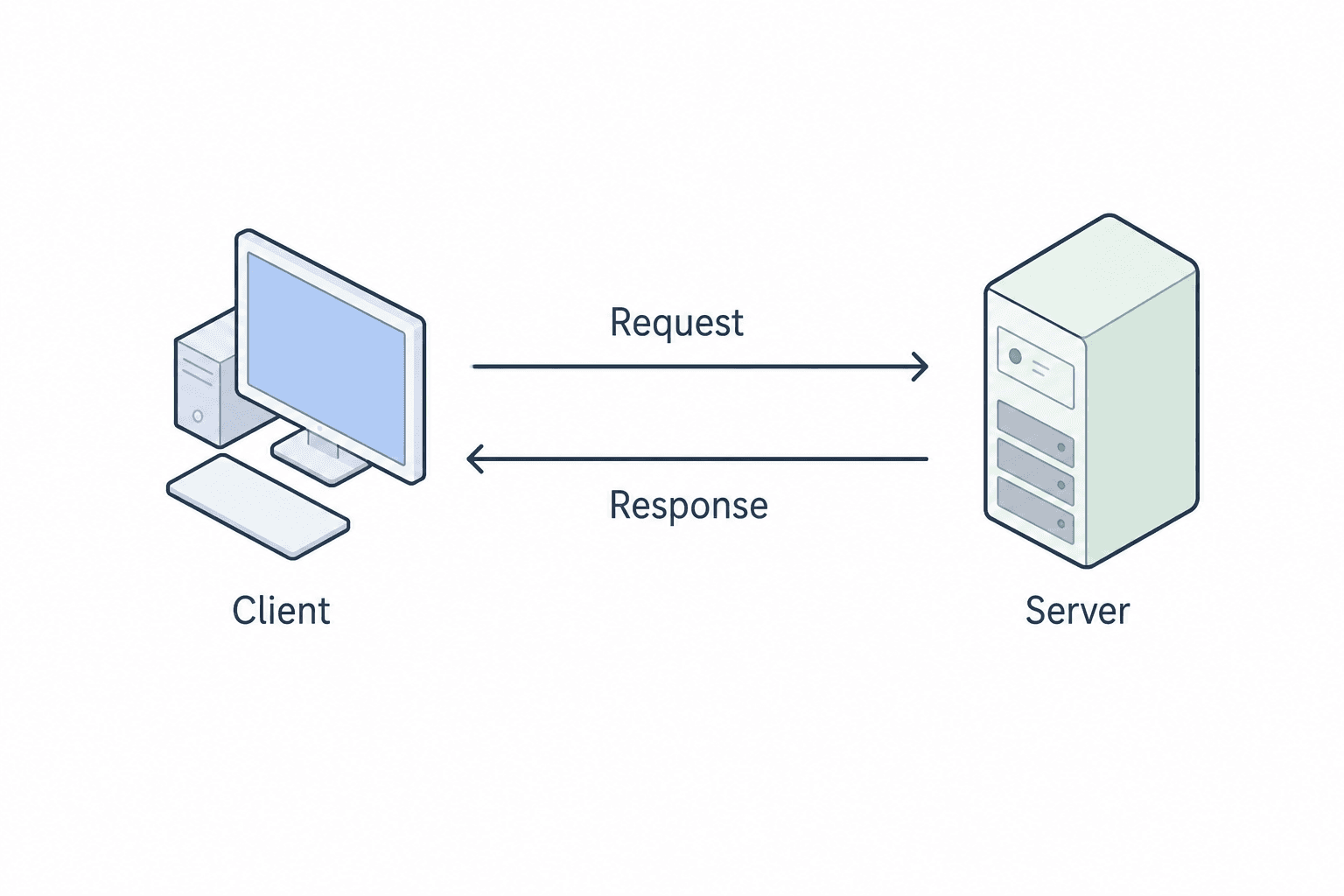
HTTP status codes are 3-digit numbers returned by a web server, such as FastAPI, to indicate the result of a client’s request.
They help the client — such as a browser, frontend, or mobile application — understand:
- whether the request was successful
- whether something went wrong
- what kind of issue occurred (if any)
HTTP Status Code Categories
HTTP status codes have four main categories:
- 2xx — ✅ Success: The request was successfully received and processed.
- 3xx — 🔄 Redirection: Further action needs to be taken.
- 4xx — ⚠️ Client Error: Something is wrong with the request from the client.
- 5xx — ❌ Server Error: Something went wrong on the server side.
Common HTTP Status Codes
HTTP status codes help the client understand what happened after sending a request to the server.
2xx — Success
- 200 OK — The request completed successfully.
- Example: A GET or POST request succeeded.
- 201 Created — A new resource was created successfully.
- Example: After a POST request.
- 204 No Content — The request succeeded, but no content was returned.
- Example: After a DELETE request.
4xx — Client Error
- 400 Bad Request — The request contains invalid or incorrect data.
- Example: Missing a field or providing the wrong data type.
- 401 Unauthorized — Authentication is required.
- Example: Login is required.
- 403 Forbidden — The user is authenticated but does not have permission to access the resource.
- Example: A logged-in user is not allowed to perform an operation.
- 404 Not Found — The requested resource does not exist.
- Example: A patient ID is not found in the database.
5xx — Server Error
- 500 Internal Server Error — A generic error occurred on the server.
- 502 Bad Gateway — The server failed to communicate with the backend.
- Example: Nginx could not reach the backend.
- 503 Service Unavailable — The backend is temporarily unavailable or overloaded.
HTTPException
HTTPException is a special built-in exception in FastAPI used to return custom HTTP error responses when something goes wrong in an API.
Instead of returning a normal response or allowing the request to fail unexpectedly, we can raise an error with:
- A proper HTTP status code, such as 400, 403, or 404
- A custom error message
- Optional extra headers
In our Patient Management System, we use HTTPException when a requested patient does not exist:
raise HTTPException(status_code=404, detail="Patient not found")Here:
status_code=404indicates that the requested resource was not found.detail="Patient not found"provides a clear error message to the client.
This code is used in the /patient/{patient_id} endpoint when the requested patient ID is not present in patients.json.
For example:
GET /patient/P999If P999 does not exist, FastAPI returns a 404 error instead of patient data.
HTTPException allows an API to handle errors gracefully by returning an appropriate status code and a meaningful message.
Query Parameter
Query parameters are optional key-value pairs appended to the end of a URL. They are used to pass additional data to the server without changing the endpoint path.
They are commonly used for operations such as:
- Filtering
- Sorting
- Searching
- Pagination
Example
/patients?city=Delhi&sort_by=ageHere:
- The
?marks the beginning of the query parameters. - Each parameter follows the
key=valueformat. - Multiple parameters are separated using
&.
In this example:
city=Delhiis used for filtering.sort_by=ageis used for sorting.
Query parameters allow the same API endpoint to handle different requests by passing additional information through the URL.
Query() Function
FastAPI provides the Query() function to add metadata, validation, and documentation information to query parameters.
It allow us to:
- Set default values
- Enforce validation rules
- Add metadata like description, title, examples
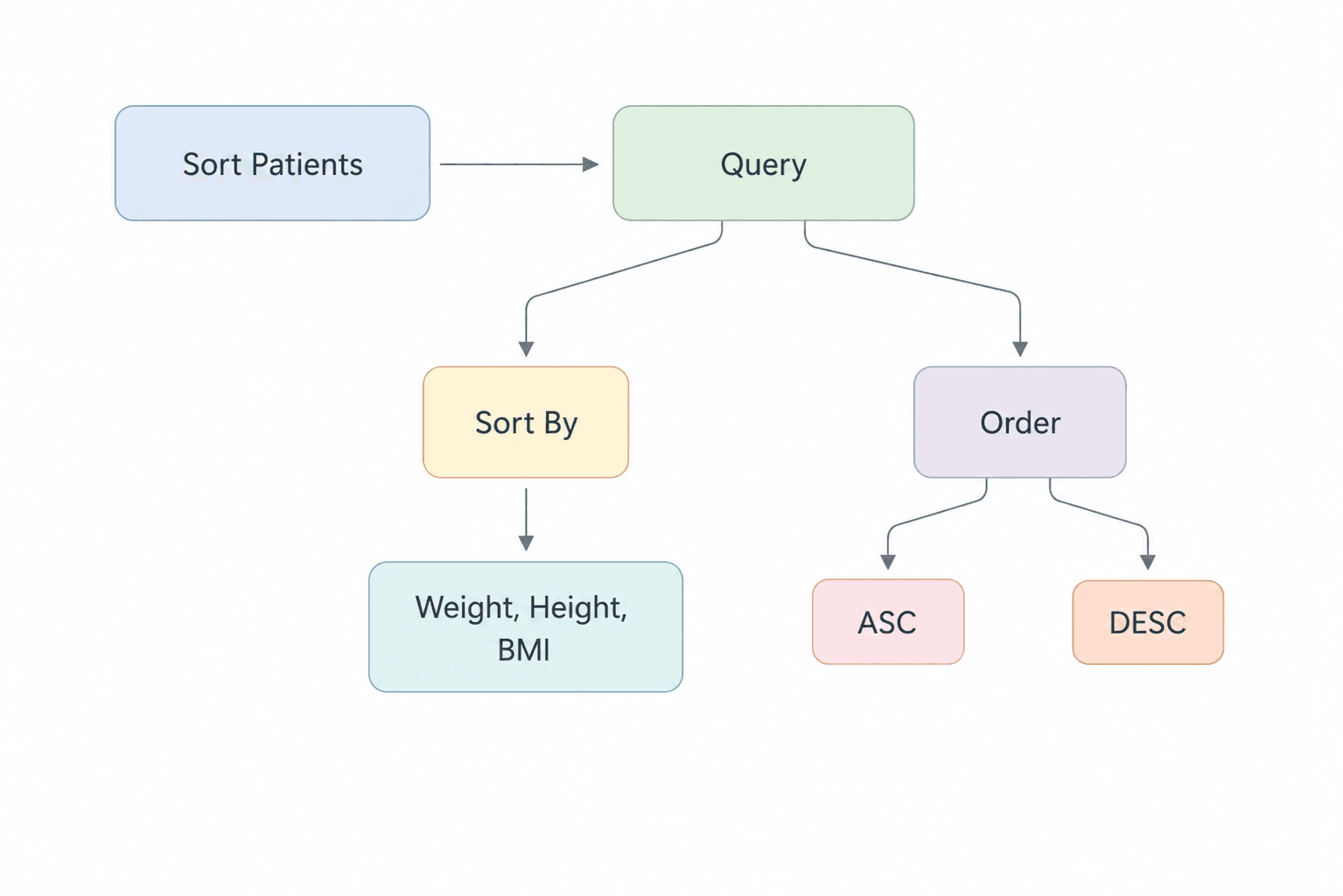
In our Patient Management System, Query() is used in the /sort endpoint to define how patients should be sorted:
@app.get("/sort")
def sort_patients(
    sort_by: str = Query(
        ...,
        description="Sort on the basis of height, weight or bmi"
    ),
    order: str = Query(
        'asc',
        description="Sort in ascending or descending order"
    )
):
Here, the API accepts two query parameters:
sort_by— Specifies the field used for sorting. The available fields are height, weight, and bmi.order— Specifies the sorting direction. It accepts asc or desc, with asc as the default value.
The ... in Query(...) makes sort_by required, while order has a default value of asc.
For example:
GET /sort?sort_by=weight&order=descThis requests the patient data to be sorted by weight in descending order.
The endpoint also validates the provided values. If an unsupported field or order is supplied, it raises a 400 Bad Request using HTTPException.
Query() makes query parameters more descriptive, validated, and visible in FastAPI's automatic API documentation.
Patient API Example
Now that we understand path and query parameters, let’s see how they are used in our Patient Management System.
The application stores patient information in a patients.json file and exposes API endpoints through FastAPI. We can retrieve a specific patient using a path parameter and sort patients using query parameters.
1. Patient Data
{
  "P001": {
    "name": "Rahul Deshmukh",
    "city": "Hyderabad",
    "age": 26,
    "gender": "male",
    "height": 1.72,
    "weight": 68,
    "bmi": 22.99,
    "verdict": "Healthy"
  },
  "P002": {
    "name": "Meera Joshi",
    "city": "Jaipur",
    "age": 31,
    "gender": "female",
    "height": 1.58,
    "weight": 82,
    "bmi": 32.85,
    "verdict": "Obese"
  },
  "P003": {
    "name": "Karan Malhotra",
    "city": "Chandigarh",
    "age": 24,
    "gender": "male",
    "height": 1.81,
    "weight": 59,
    "bmi": 18.01,
    "verdict": "Underweight"
  },
  "P004": {
    "name": "Aditi Rao",
    "city": "Chennai",
    "age": 37,
    "gender": "female",
    "height": 1.67,
    "weight": 72,
    "bmi": 25.82,
    "verdict": "Overweight"
  },
  "P005": {
    "name": "Vikram Singh",
    "city": "Lucknow",
    "age": 45,
    "gender": "male",
    "height": 1.74,
    "weight": 88,
    "bmi": 29.07,
    "verdict": "Overweight"
  }
}
Each patient is stored using a unique patient ID such as P001 or P002. The application reads this JSON data whenever it needs to retrieve or sort patient records.
2. Loading Patient Data
import json

def load_data():
    with open('patients.json', 'r') as f:
        data = json.load(f)
    return data
The load_data() function opens patients.json, loads the JSON content using Python's json module, and returns the patient data to the API endpoint.
3. Retrieve a Patient Using a Path Parameter
@app.get("/patient/{patient_id}")
def view_patient(
    patient_id: str = Path(
        ...,
        description="The ID of the patient in the DB",
        example="P001"
    )
):
    data = load_data()

    if patient_id in data:
        return data[patient_id]

    raise HTTPException(
        status_code=404,
        detail="Patient not found"
    )
Here, patient_id is taken directly from the URL. The endpoint loads the patient data and checks whether the requested ID exists.
If the ID exists, the corresponding patient record is returned. If it does not exist, the API raises a 404 error with the message "Patient not found."
Example:
GET /patient/P001This retrieves the patient associated with P001.
The path parameter allows the API to retrieve a specific patient by changing the patient ID directly in the URL.
Sorting Patients with Query Parameters
Query parameters become especially useful when we want to control how data is processed without changing the endpoint itself.
In our Patient Management System, the /sort endpoint uses query parameters to sort patients by height, weight, or BMI, in either ascending or descending order.
@app.get("/sort")
def sort_patients(
    sort_by: str = Query(
        ...,
        description="Sort on the basis of height, weight or bmi"
    ),
    order: str = Query(
        'asc',
        description="Sort in ascending or descending order"
    )
):
    valid_fields = ['height', 'weight', 'bmi']

    if sort_by not in valid_fields:
        raise HTTPException(
            status_code=400,
            detail=f"Invalid field select from {valid_fields}"
        )

    if order not in ['asc', 'desc']:
        raise HTTPException(
            status_code=400,
            detail="Invalid order select between asc and desc"
        )

    data = load_data()

    sort_order = True if order == 'desc' else False

    sorted_data = sorted(
        data.values(),
        key=lambda x: x.get(sort_by, 0),
        reverse=sort_order
    )

    return sorted_data
GET /sort?sort_by=height&order=asc
GET /sort?sort_by=bmi&order=descThe first request sorts patients by height in ascending order, while the second sorts them by BMI in descending order.
With query parameters, the same /sort endpoint can handle different sorting requirements without creating separate endpoints for each option.
Complete Code Example
Here is the complete main.py for our Patient Management System:
import json
from fastapi import FastAPI, Path, HTTPException, Query

app = FastAPI()

def load_data():
    with open('patients.json', 'r') as f:
        data = json.load(f)
    return data


@app.get("/")
def project():
    return {"message": "Patient Management System"}

@app.get("/about")
def about():
    return {"message": "A fully functional patient management system"}

@app.get("/view")
def view():
    data = load_data()
    return data

@app.get("/patient/{patient_id}")
def view_patient(patient_id: str = Path(..., description="The ID of the patient in the DB", example="P001")):
    # load all the patients
    data = load_data()

    if patient_id in data:
        return data[patient_id]

    raise HTTPException(status_code=404, detail="Patient not found")

@app.get("/sort")
def sort_patients(
    sort_by: str = Query(
        ...,
        description="Sort on the basis of height, weight or bmi"
    ),
    order: str = Query(
        'asc',
        description="Sort in ascending or descending order"
    )
):
    valid_fields = ['height', 'weight', 'bmi']

    if sort_by not in valid_fields:
        raise HTTPException(
            status_code=400,
            detail=f"Invalid field select from {valid_fields}"
        )

    if order not in ['asc', 'desc']:
        raise HTTPException(
            status_code=400,
            detail="Invalid order select between asc and desc"
        )

    # load all the patients
    data = load_data()

    sort_order = True if order == 'desc' else False

    sorted_data = sorted(
        data.values(),
        key=lambda x: x.get(sort_by, 0),
        reverse=sort_order
    )

    return sorted_data
Output
Let’s look at some example requests and their responses.
Retrieving a Specific Patient
Request:
GET /patient/P001If P001 exists, the API returns that patient's record:
{
  "name": "Rahul Deshmukh",
  "city": "Hyderabad",
  "age": 26,
  "gender": "male",
  "height": 1.72,
  "weight": 68,
  "bmi": 22.99,
  "verdict": "Healthy"
}
Sorting Patients
Request:
GET /sort?sort_by=height&order=ascThis returns the patient records sorted by height in ascending order.
Another example:
GET /sort?sort_by=bmi&order=descThis sorts the records by BMI in descending order.
Patient Not Found
Request:
GET /patient/P999If the patient ID does not exist, the API returns:
{
  "detail": "Patient not found"
}
with a 404 Not Found status code.
Invalid Sorting Parameters
For example:
GET /sort?sort_by=age&order=ascSince age is not one of the allowed sorting fields, the API raises a 400 Bad Request.
The supported fields are:
heightweightbmi
The order parameter accepts:
ascdesc
Code Execution Explanation
When the FastAPI application starts, it creates the API routes for the Patient Management System.
For a request such as:
GET /patient/P001FastAPI extracts P001 from the URL and passes it to the view_patient() function. The function loads the patient data, checks whether the ID exists, and returns the corresponding record. If the ID does not exist, HTTPException returns a 404 response.
For a sorting request:
GET /sort?sort_by=height&order=ascFastAPI reads the sort_by and order query parameters. The endpoint validates them, loads the patient data, determines the sorting direction, and uses Python's sorted() function to return the records in the requested order.
So the complete execution can be summarized as:
Client Request → FastAPI Route → Path/Query Parameters → Validation → Business Logic → JSON Response
Key Takeaways
By now, you should have a clear understanding of how path parameters, query parameters, HTTP status codes, and error handling work together in FastAPI.
| Concept | Summary |
|---|---|
| Path Parameters | Dynamic segments of a URL used to identify a specific resource. |
| Path() | Adds metadata, validation rules, and documentation hints to path parameters. |
| HTTP Status Codes | Three-digit codes that indicate the result of a client’s request. |
| 2xx | Indicates successful requests. |
| 3xx | Indicates redirection. |
| 4xx | Indicates client-side errors. |
| 5xx | Indicates server-side errors. |
| HTTPException | Used to return custom HTTP error responses with a status code and message. |
| Query Parameters | Key-value pairs added to a URL to pass additional data without changing the endpoint path. |
| Query() | Used to declare, validate, and document query parameters. |
| Patient API | Uses a path parameter to retrieve a specific patient by ID. |
| Sorting | Uses query parameters to sort patients by height, weight, or BMI in ascending or descending order. |
Conclusion
Path and query parameters make FastAPI endpoints more dynamic and flexible. Path parameters allow an API to identify a specific resource, while query parameters allow additional information to be passed without changing the endpoint path.
We also saw how Path() and Query() can provide metadata, validation, and documentation information, while HTTPException allows the API to return meaningful error responses when something goes wrong.
In our Patient Management System, these concepts come together to retrieve individual patients using a patient ID and sort patient records using query parameters such as sort_by and order.
With these concepts in place, we can now build FastAPI endpoints that accept user input, validate requests, and respond appropriately.
What’s Next?
Now that you understand how path parameters, query parameters, HTTP status codes, and error handling work in FastAPI, the next step is to understand how FastAPI validates and manages the data flowing through an API.
This is where Pydantic becomes important.
In the next part, we’ll explore Pydantic from the basics to more advanced features and see how it helps us build clear, type-safe, and validated data models.
You’ll learn:
- Why Pydantic? — Understand the problems of dynamic typing and manual validation and how Pydantic simplifies them.
- Pydantic Models — Define structured data models using Python type hints and BaseModel.
- Data Validation — See how Pydantic automatically validates incoming data and raises ValidationError when the data is invalid.
- Type Coercion & Type Safety — Understand how Pydantic converts compatible input into the expected Python types while maintaining a clear schema.
- Field Validators — Add custom validation logic for individual fields.
- Model Validators — Handle validation rules that depend on multiple fields.
- Computed Fields — Dynamically calculate values from other model fields.
- Nested Models — Organize complex data structures by using one Pydantic model inside another.
- Serialization — Convert Pydantic models into Python dictionaries or JSON and control which fields are included or excluded.
By the end of the next part, you’ll have a solid foundation for using Pydantic models inside FastAPI applications.
Series: FastAPI for Machine Learning — Part 4 of 12