You have built your first FastAPI application and created your first API endpoints.
But an API is not only about defining URLs.
How does an API know whether you want to retrieve, create, update, or delete data?
This is where HTTP methods come in.
In this part, we’ll understand how clients communicate with servers using HTTP and explore the four commonly used methods — GET, POST, PUT, and DELETE — along with their relationship to CRUD operations.
We’ll also look at how JSON is used to transfer structured data between applications and connect these concepts to a simple patient management system.
Overview
Static vs Dynamic Websites
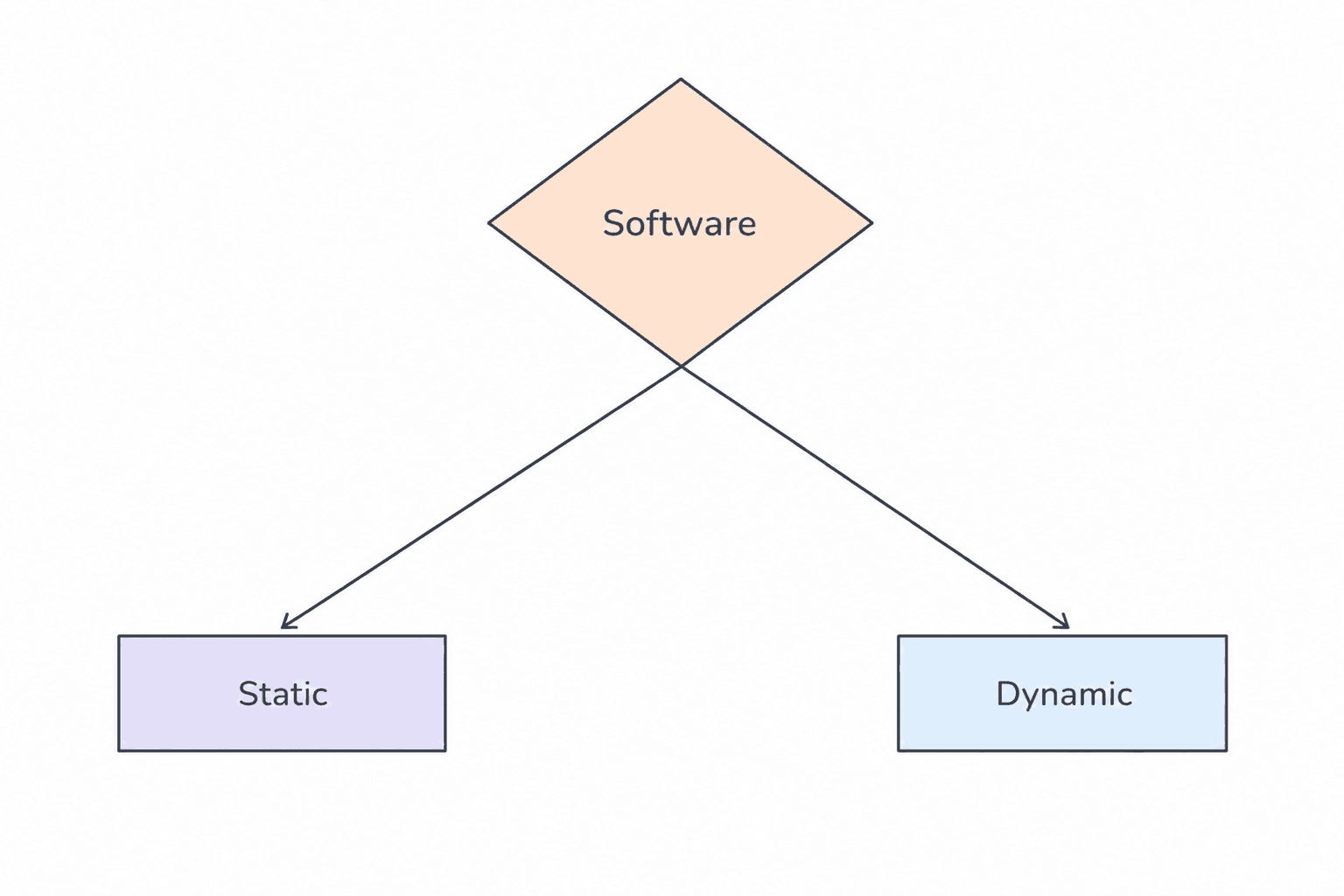
Software applications can generally be divided into two categories:
- Static Websites
- Dynamic Websites
Static Websites
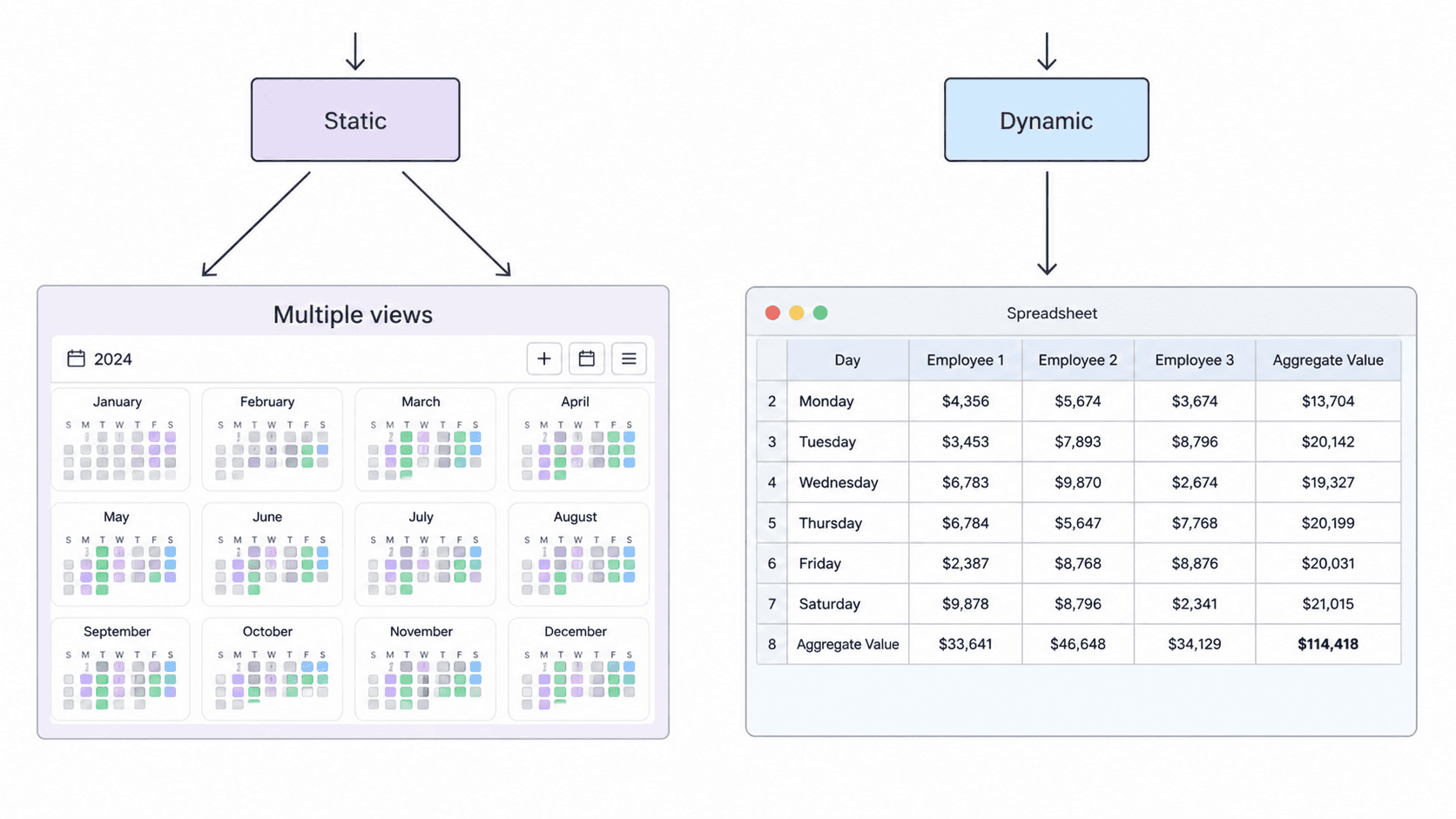
Static websites display fixed content and usually do not change frequently.
Examples:
- Blogs
- Portfolio websites
- Government websites
- Documentation pages
Dynamic Websites
Dynamic websites generate content dynamically based on user interactions and database operations.
Dynamic applications commonly perform CRUD operations:
- Create
- Read
- Update
- Delete
Examples:
- Social media platforms
- E-commerce websites
- Banking applications
- Dashboard systems
Client and Server Communication
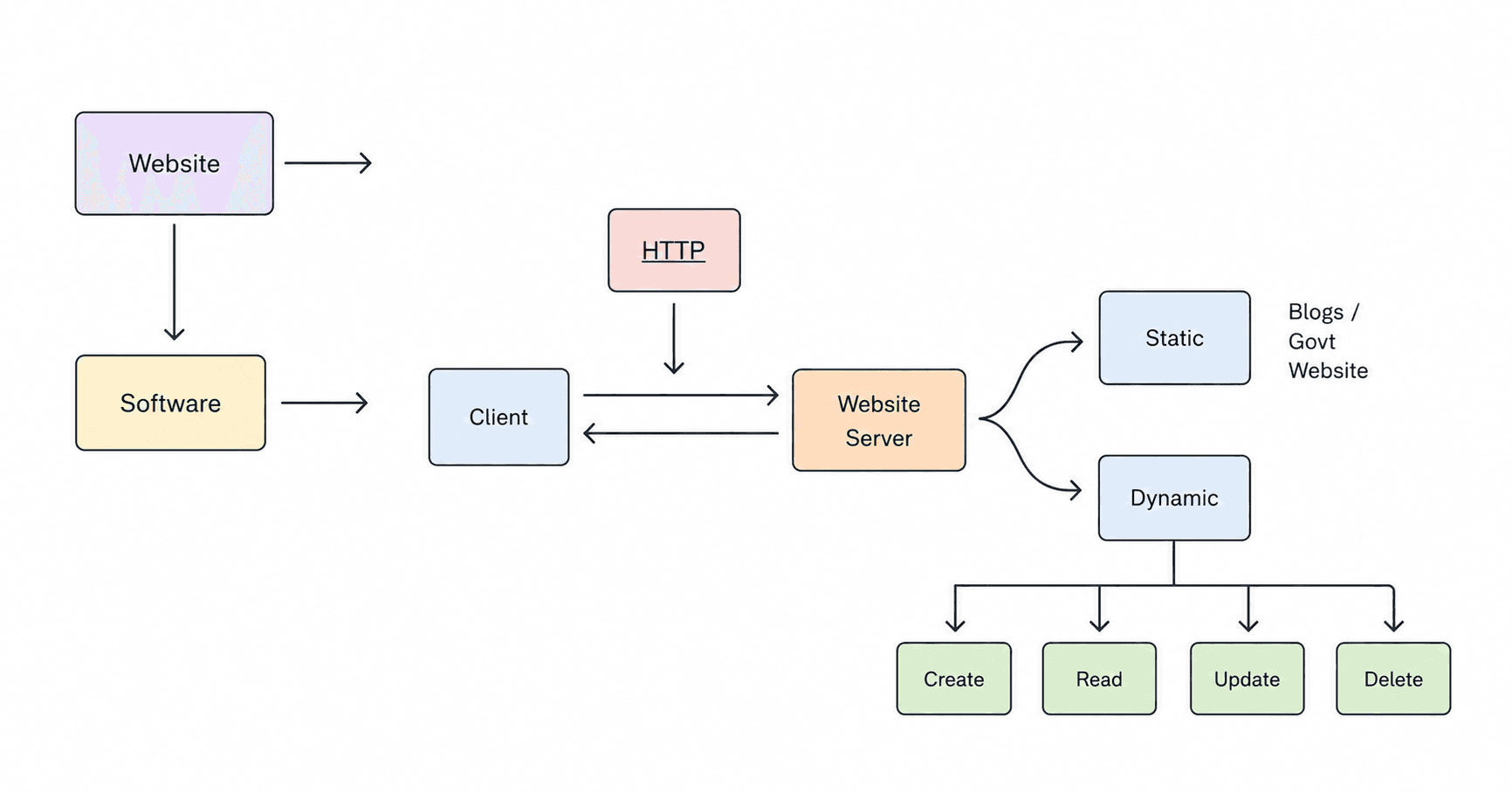
This architecture demonstrates how clients communicate with servers using the HTTP protocol.
Flow
- Client sends an HTTP request
- Server processes the request
- Server returns a response back to the client
The website server can serve:
- Static content
- Dynamic content
Dynamic systems usually interact with databases and business logic to perform operations like creating, updating, reading, or deleting data.
HTTP Methods (HTTP Verbs)
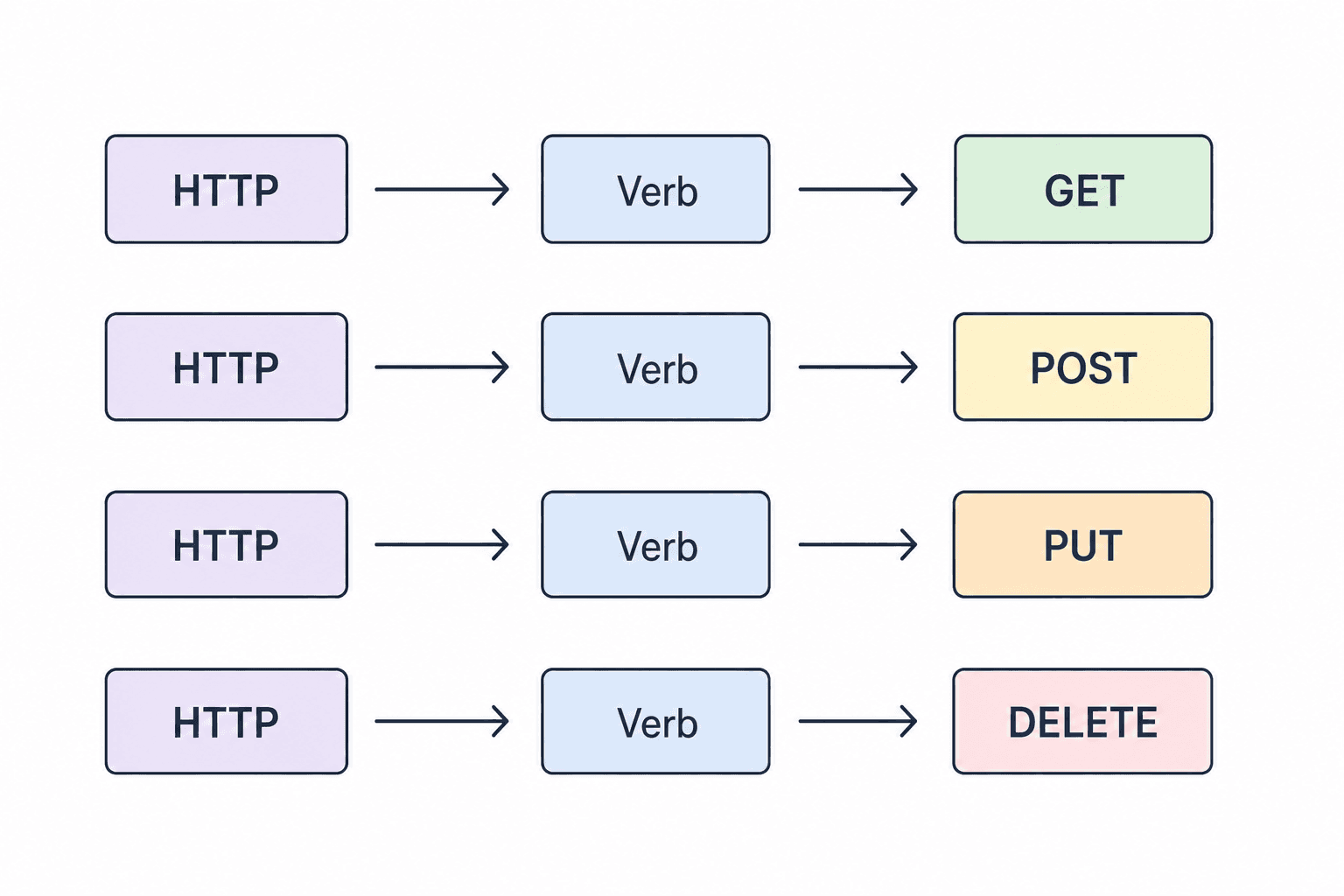
HTTP methods define the type of operation performed on a resource.
GET
Used to retrieve data from the server.
Example:
- Fetch user details
- Read blog posts
POST
Used to send new data to the server.
Example:
- Create a new user
- Submit a form
PUT
Used to update existing data.
Example:
- Update profile information
- Edit product details
DELETE
Used to remove data from the server.
Example:
- Delete a user
- Remove a post
CRUD Operations in APIs
Most backend applications revolve around CRUD operations.
- Create → POST — Add new data
- Read → GET — Retrieve data
- Update → PUT — Modify existing data
- Delete → DELETE — Remove data
CRUD operations are the foundation of modern APIs and database-driven applications.
Putting It Together: FastAPI + JSON
So far, we have looked at HTTP methods and CRUD operations conceptually.
Now let’s connect these concepts to a simple FastAPI application that reads patient data from a JSON file.
The application uses a patients.json file as a structured data source and exposes the data through a FastAPI endpoint.
main.py
import json
from fastapi import FastAPI

app = FastAPI()

def load_data():
    with open('patients.json', 'r') as f:
        data = json.load(f)
    return data


@app.get("/")
def project():
    return {"message": "Patient Management System"}

@app.get("/about")
def about():
    return {"message": "A fully functional patient management system"}

@app.get("/view")
def view():
    data = load_data()
    return data
Understanding the Code
The application starts by importing Python’s built-in json module and the FastAPI class.
import json
from fastapi import FastAPI
The FastAPI instance creates the API application:
app = FastAPI()The load_data() function opens the patients.json file, reads its contents, and converts the JSON data into a Python object using json.load().
def load_data():
    with open('patients.json', 'r') as f:
        data = json.load(f)
    return data
The application then defines three GET endpoints:
/— Returns a message for the Patient Management System./about— Returns information about the application./view— Loads the patient data frompatients.jsonand returns it.
The important part is:
@app.get("/view")
def view():
    data = load_data()
    return data
Here, the GET method is used to retrieve the patient data.
FastAPI then returns the data as a JSON response.
patients.json
The patient information is stored separately in a JSON file:
{
  "P001": {
    "name": "Rahul Deshmukh",
    "city": "Hyderabad",
    "age": 26,
    "gender": "male",
    "height": 1.72,
    "weight": 68,
    "bmi": 22.99,
    "verdict": "Healthy"
  },
  "P002": {
    "name": "Meera Joshi",
    "city": "Jaipur",
    "age": 31,
    "gender": "female",
    "height": 1.58,
    "weight": 82,
    "bmi": 32.85,
    "verdict": "Obese"
  },
  "P003": {
    "name": "Karan Malhotra",
    "city": "Chandigarh",
    "age": 24,
    "gender": "male",
    "height": 1.81,
    "weight": 59,
    "bmi": 18.01,
    "verdict": "Underweight"
  },
  "P004": {
    "name": "Aditi Rao",
    "city": "Chennai",
    "age": 37,
    "gender": "female",
    "height": 1.67,
    "weight": 72,
    "bmi": 25.82,
    "verdict": "Overweight"
  },
  "P005": {
    "name": "Vikram Singh",
    "city": "Lucknow",
    "age": 45,
    "gender": "male",
    "height": 1.74,
    "weight": 88,
    "bmi": 29.07,
    "verdict": "Overweight"
  }
}
How the Data Flows
The overall flow is:
Client → GET /view → FastAPI → patients.json → JSON Response → Client
This connects the concepts we discussed earlier:
- GET → Retrieves the patient data.
- FastAPI → Provides the API endpoint.
- JSON file → Stores the structured patient data.
- JSON response → Transfers the data back to the client.
This is where HTTP methods and JSON come together in a real FastAPI application.
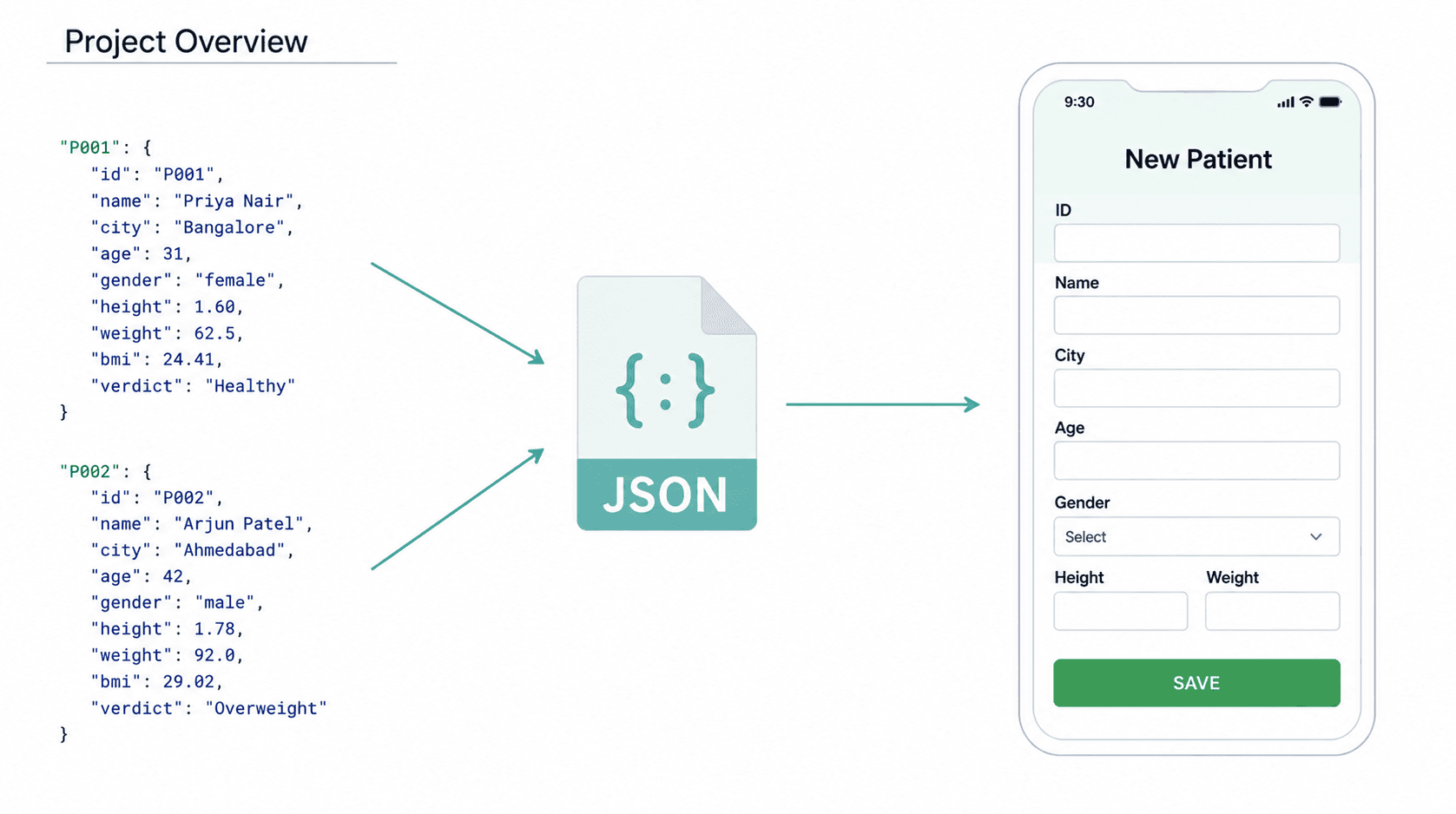
JSON Data Flow in Applications
How JSON data is used in modern applications to transfer information between systems and user interfaces.
Project Overview
- Patient data is stored in JSON format.
- The JSON object acts as a structured data container.
- The application reads the JSON data.
- The frontend form displays or processes the received information.
Why JSON is Important
JSON (JavaScript Object Notation) is one of the most commonly used data formats in APIs and backend systems because it is:
- Lightweight
- Human readable
- Easy to parse
- Language independent
- Widely supported across platforms
Real World Usage
JSON is commonly used in:
- REST APIs
- Mobile applications
- Frontend-backend communication
- Database responses
- Machine Learning APIs
- Healthcare and patient management systems
Example JSON Structure
A typical patient record can be represented as a JSON object containing information such as an ID, name, city, age, gender, height, weight, BMI, and verdict.
{
  "id": "P001",
  "name": "Priya Nair",
  "city": "Bangalore",
  "age": 31,
  "gender": "female",
  "height": 1.6,
  "weight": 62.5,
  "bmi": 24.41,
  "verdict": "Healthy"
}
{
"id": "P002",
"name": "Arjun Patel",
"city": "Ahmedabad",
"age": 42,
"gender": "male",
"height": 1.78,
"weight": 92,
"bmi": 29.02,
"verdict": "Overweight"
}Key Takeaways
By now, you should have a clear understanding of how HTTP methods and JSON work together in modern APIs.
| Concept | Summary |
|---|---|
| Static Websites | Serve fixed content that usually does not change frequently. |
| Dynamic Websites | Generate content based on user interactions and data operations. |
| HTTP Methods | Define the type of operation performed on a resource. |
| GET | Used to retrieve data from the server. |
| POST | Used to send new data to the server. |
| PUT | Used to update existing data. |
| DELETE | Used to remove data from the server. |
| CRUD Operations | Map Create, Read, Update, and Delete operations to POST, GET, PUT, and DELETE. |
| Client–Server | Clients send HTTP requests, servers process them, and return responses. |
| JSON | A lightweight, human-readable, language-independent format commonly used to transfer data between systems. |
| Real-World Usage | JSON and HTTP methods are commonly used in REST APIs, frontend-backend communication, database responses, machine learning APIs, and healthcare systems. |
Conclusion
HTTP methods provide a clear way for clients and servers to communicate and define what operation should be performed on a resource. GET, POST, PUT, and DELETE map naturally to common CRUD operations such as reading, creating, updating, and deleting data.
JSON complements these operations by providing a lightweight, human-readable, and language-independent format for transferring structured data between applications and user interfaces.
Together, HTTP methods and JSON form an important foundation for building modern APIs, including machine learning APIs and backend systems.
Now that we understand how APIs communicate and exchange data, the next step is to see how these concepts are implemented in FastAPI.
What’s Next?
Now that you understand how HTTP methods, CRUD operations, and JSON work together in a FastAPI application, the next step is to learn how APIs can accept and process additional information from the client.
In the next part, we’ll explore:
- Path Parameters: How to use dynamic URL segments to identify specific resources.
- Path(): How FastAPI provides metadata, validation rules, and documentation hints for path parameters.
- HTTP Status Codes: How APIs communicate the result of a request using status codes such as 200, 404, and 500.
- HTTPException: How to return custom error responses when something goes wrong.
- Query Parameters: How to pass additional data through the URL for operations such as filtering, sorting, searching, and pagination.
- Query(): How FastAPI can validate, document, and define query parameters.
We’ll also connect these concepts to our Patient Management System and see how path and query parameters work in a real FastAPI application.
Series: FastAPI for Machine Learning — Part 3 of 12